
SumiTable
Webページの表を、Markdown・Excel・CSVに。
Copy web tables as Markdown, Excel-ready TSV or CSV.
表を、崩さずにコピー
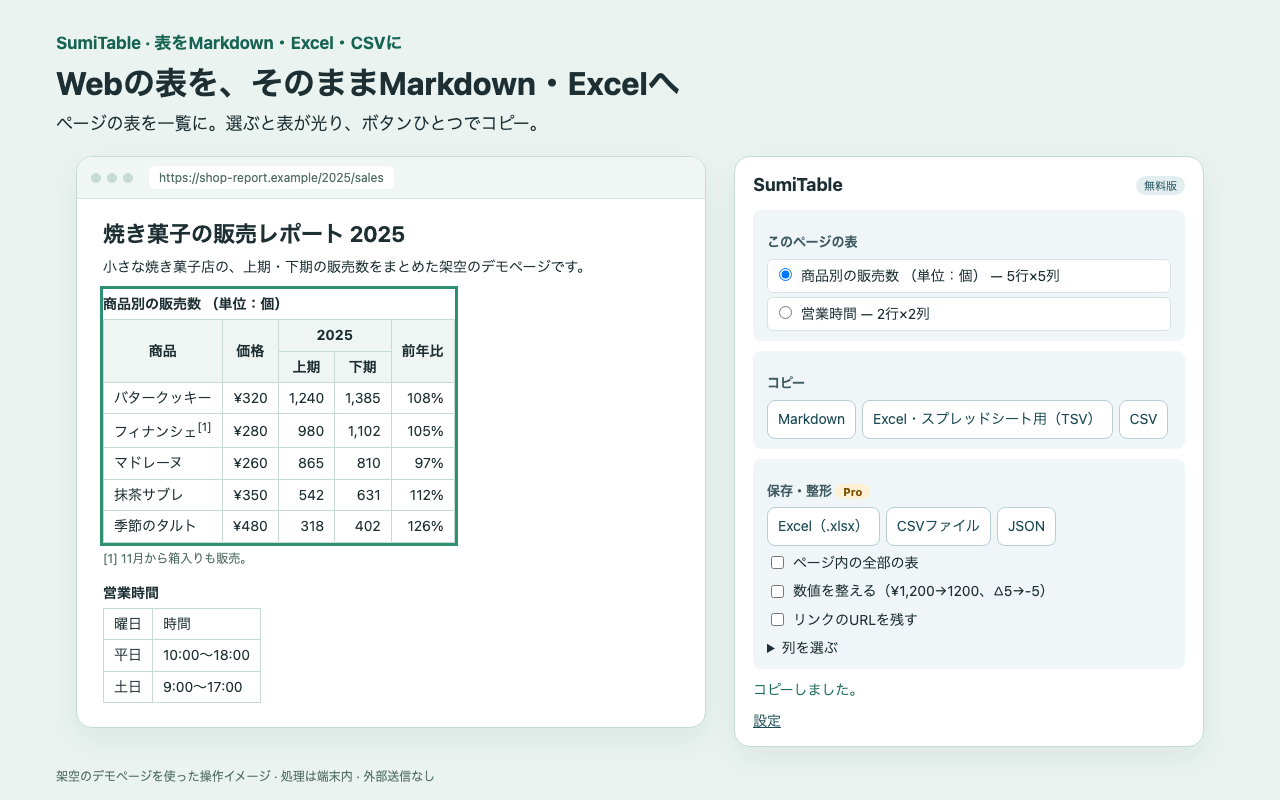
Webページの表を、Markdown・Excel用(TSV)・CSVの形にしてコピーするブラウザ拡張機能です。
AIチャットやメモに貼れば表のまま、Excelやスプレッドシートに貼ればマスに分かれて入ります。
結合されたマス、2段の見出し、[1]のような脚注番号など、手で直していた崩れを整えてから出力します。
無料でできること
- ページの中の表を一覧で表示(題名と行数・列数)。選ぶとページの表が枠で光ります
- 選んだ表を Markdown/Excel・スプレッドシート用(TSV)/CSV でコピー(1つの表につき200行まで)
- 表の中の文字を選んで右クリックし、その表をコピー
- 結合されたマス・2段や3段の見出し・脚注番号・空の行や列を整える
- 表の上下の「(単位:千円)」「注:…」は見出しと混ざらないよう分ける
- 日本語・英語の表示
Pro(準備中・未販売)
行数の上限なし、Excelファイル(.xlsx)・CSVファイル・JSONで保存、ページ内の全部の表をまとめて出力、列を選ぶ、数値を整える(全角数字・「¥1,200」・「△500」など)、リンクのURLを残す。販売を始めるまでは、無料の機能だけをご利用いただけます。
使い方
- 表のあるページで、ツールバーの SumiTable を押します。
- 一覧から表を選び、「Markdown」「Excel・スプレッドシート用(TSV)」「CSV」のどれかを押します。
- AIチャット、メモ、Excel、スプレッドシートなどに貼り付けます。
ブラウザの設定画面や拡張機能のストアなど、読み取れないページがあります。画像で描かれた表、スクロールして後から出てくる行、複数のページに分かれた表は読めません。閲覧・利用を許されたページで使ってください。
プライバシー
表は、ボタンや右クリックで操作したときだけ、いま開いているページから読み取ります。処理はすべて端末の中で行い、ページの内容や設定を外部に送りません。拡張機能には通信機能、広告、アクセス解析、アカウント登録はありません(このサイトの閲覧数の計測については、プライバシーポリシーの「このWebサイトについて」)。くわしくはプライバシーポリシーをどうぞ。
Copy tables without the mess
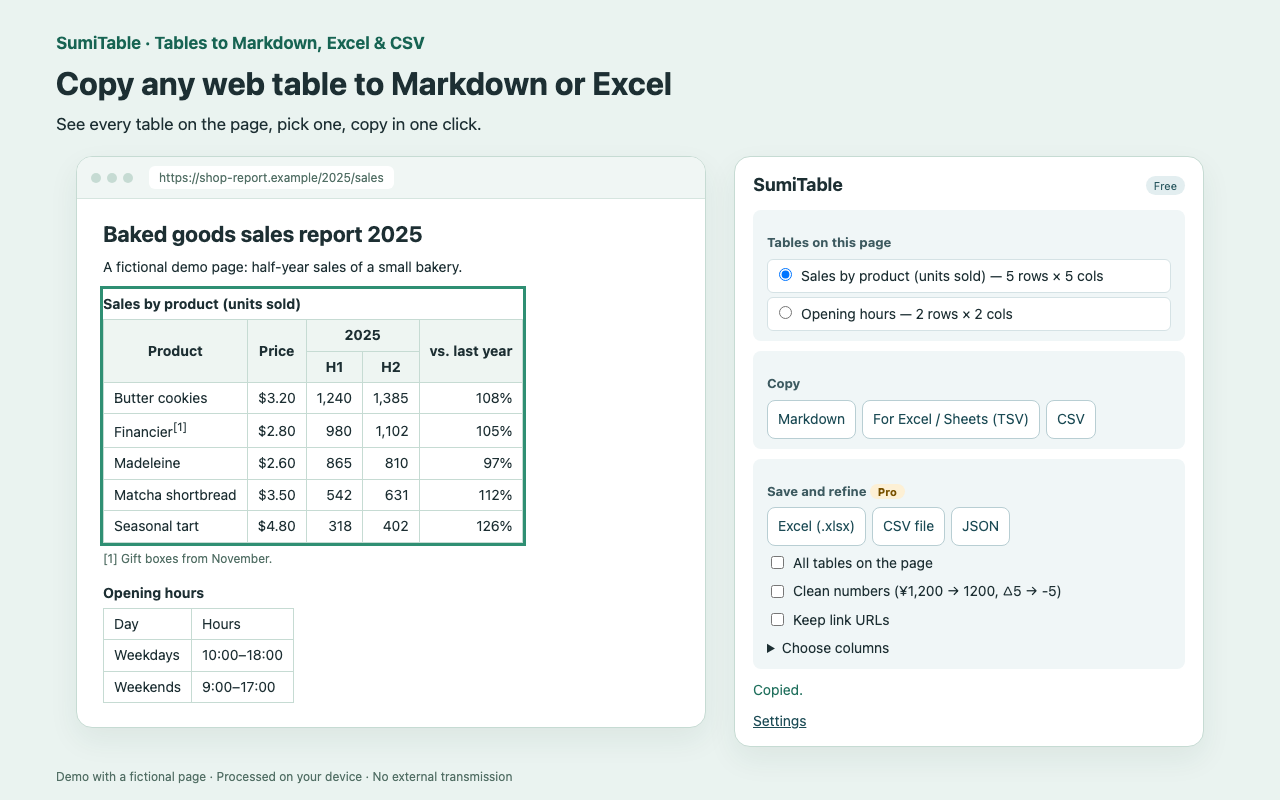
SumiTable is a browser extension that copies any table on a web page as Markdown, Excel-ready TSV or CSV.
Paste into AI chats and notes as a real table, or into Excel and spreadsheets with every value in its own cell.
Merged cells, multi-row headers and footnote marks like [1] are cleaned up before you paste.
Free features
- List the tables on the page with their title and size; the picked table is outlined on the page
- Copy the table as Markdown, TSV for Excel/spreadsheets, or CSV (up to 200 rows per table)
- Select text inside a table and right-click to copy that table
- Merged cells, multi-row headers, footnote marks and empty rows or columns are tidied up
- Notes such as "(Unit: thousand yen)" above or below a table are kept apart from the headers
- English and Japanese interface
Pro (coming soon, not on sale)
No row limit; save as Excel (.xlsx), CSV file or JSON; export every table on the page at once; choose columns; clean up numbers (full-width digits, "¥1,200", "△500" and more); keep link URLs. Pro is not on sale yet; everything under "Free features" works now.
How to use
- On a page with a table, click SumiTable in the toolbar.
- Pick a table from the list, then click Markdown, For Excel / Sheets (TSV) or CSV.
- Paste it into an AI chat, a note, Excel or a spreadsheet.
Some pages cannot be read, such as browser settings pages and extension stores. Tables drawn as images, rows that load as you scroll, and tables split across several pages are not supported. Use only content you are allowed to view and use.
Privacy
Tables are read from the current page only when you click the button or use the right-click menu. Everything is processed on your device; page content and settings are never sent anywhere. The extension itself has no network communication, analytics, advertising or account (this website's page-view counting is described in the privacy policy).
Microsoft Edge アドオン:公開準備中 / Coming soon
Firefox アドオン:公開準備中 / Coming soon
Chrome ウェブストア:公開準備中 / Coming soon
表を Excel・スプレッドシートに貼る方法 / Paste tables into spreadsheets (ja)表を Markdown の表にする方法 (ja)CSV を Excel で開くと文字化けするとき (ja)コピーした数字が Excel で計算できないとき (ja)HTML table to Markdown (en)Fix numbers stored as text in Excel (en)CSV garbled in Excel (en)ページ全体を Markdown にするなら SumiClip / Whole pages: SumiClip